Showing posts with label academic. Show all posts

Monday, 22 May 2017

Adventures in Learning and Teaching

Last week I attended the University of East Anglia Learning and Teaching day. As I no longer work for UEA it was both strange and wonderful to be with my former colleagues talking about subjects I'm so passionate about, and interesting to see from an outside perspective the work UEA is currently doing in this area. Rather neat then that the theme of the day was 'Outside in: how external factors influence our teaching'.

In fact, the main external factor driving the discussion of the day seemed to be 'students as customers' - a debate that's been preoccupying Higher Education for a long time now, but resurfacing now in the light of the Teaching Excellence Framework and generating an explicit link between 'teaching excellence' and charging students more money. Professor Andy Wood's keynote was arguably provocative, outlining how the university could (and probably is) seen as a business by government, and where in that arena we are falling short. For example, if research is our 'product', then it is too slow to the market for adequate return on investment. How can we improve this?

I find this way of looking at HE uncomfortable to say the least, and in an environment where we change our focus to be driven by consumer demand, I worry that the value in great learning and teaching becomes lost. Great teaching does provoke students to have ideas and provide the messy, mistake-led learning space in which students can explore them. But it doesn't then have to turn those ideas into money making enterprises. Not everything of worth is a product to be sold. 

Much of my day riffed on this theme: discussions of embedding employ ability into the curriculum; linking student assessment to industry; being explicit about the skills students learn which will lead them into employment; evidencing 'learning gain' while student are studying. However there were also some fabulous ideas explored with regard to working in partnership with students to shape their learning experience, using triggers such as photographs to explore student-led ideas and fostering independent learning through MOOCs and supported online learning. 

I can't tell you the future of HE or how the role of teaching and learning is going to be forced to change to fit restrictive and metrics-driven funding structures, but at least I can tell you that there are some very talented, enthusiastic and dedicated educators out there providing a fantastic experience for students. 

Resources from the day will appear here: https://portal.uea.ac.uk/csed/learning-and-teaching1/learning-and-teaching-days/learning-and-teaching-day-2017 and I've saved my highlights from the day on Twitter below:


Wednesday, 16 December 2015

PicCollage - the twelfth app of Christmas

What a great app to finish with! PicCollage is really easy to use and does what it says on the tin - it makes collages.

Merry Christmas from UEA Library!


Flipboard - the eleventh app of Christmas

Well the penultimate app is Flipboard, which I am predisposed to dislike as it is one of the apps that came pre-loaded on my phone and which I cannot delete. This annoys me. 

Flipboard is yet another curation tool, and one I don't like very much. As far as curation goes, I think I prefer the idea of Pocket, where you collect as you go. Flipboard pulls everything into one place, which I can see the benefit of, but I quite like going into individual apps like Twitter and Facebook, both for a sense of orientation - being in a particular app for a particular purpose - but also because if I then want to do something more all the functionality of that app is available to me. Maybe I'm a dinosaur in this respect. I don't know! 

#12appsDIT consider Flipboard to be useful for it's sharing and collaborative functions. You can share articles with people in your network, and you can create public 'magazines', so you can see what other people have curated. I can see how this might work, although setting up Flipboard takes a little while, and it has a very personal feel about it. It also seems very similar to Pinterest...and indeed there are plenty of articles like this one comparing the two. Ultimately, getting people to follow each other and set up magazines might be great fun, but will it be a learning experience? 

I'm also conscious that I now have app fatigue after going through the 12 apps of Christmas, and am tired of setting up new accounts, linking together services that want access to all my data, finding that they don't quite work in the way I would like to use them, and falling back into my old ways because I preferred them. How much of this is because the new tools don't beat the old ones, or because I'm stuck in my ways I don't know. Maybe I will give Flipboard another go someday, but for now, it's back to ignoring it's continual presence on my phone. 

Monday, 14 December 2015

Photomath - the tenth app of Christmas

Oh maths...I'm not useless at maths, but I really don't have any need of complex equations in my job. As long as I know which equations are in which excel boxes I'm pretty much ok, which means I am not in need of any of today's apps, either for teaching or my own learning.

However, I think they all sound pretty cool and useful, so here they are in case you'd like to use them!
PhotoMath will use your phone's camera to give you the answer to any printed problem (well, they are still working on the really complex ones). It also shows you the working out, which is neat.
MyScript Calculator lets you write equations on the screen and will then solve them.
Desmos is a graphing tool which I in no way understand but I can make it create fairly pretty patterns. Desmos is available using a browser as well so you just need to go to the site to get started.

Enjoy your mathematics my friends!


Saturday, 12 December 2015

Cogi (and Pinterest) - the ninth app(s) of Christmas

Yes, I have failed again and this post is a day late. Partly this is because the ninth app of Christmas is actually two apps - Cogi and Pinterest.

Cogi is a voice recorder. I can understand why being able to record audio would be extremely useful for teaching and learning, and a good app to do this would be invaluable. I'm not sure about Cogi's passive recording function though - this enables you to press record and capture up to 45 seconds of audio you just missed. My instant thoughts are - 'how would you make this work ethically? I don't really want to be passively recorded!' I then go to download the app and this is another that requires access to pretty much all my phone information, so I don't download it. If I need a voice recorder I will remember it and maybe give it a try then.

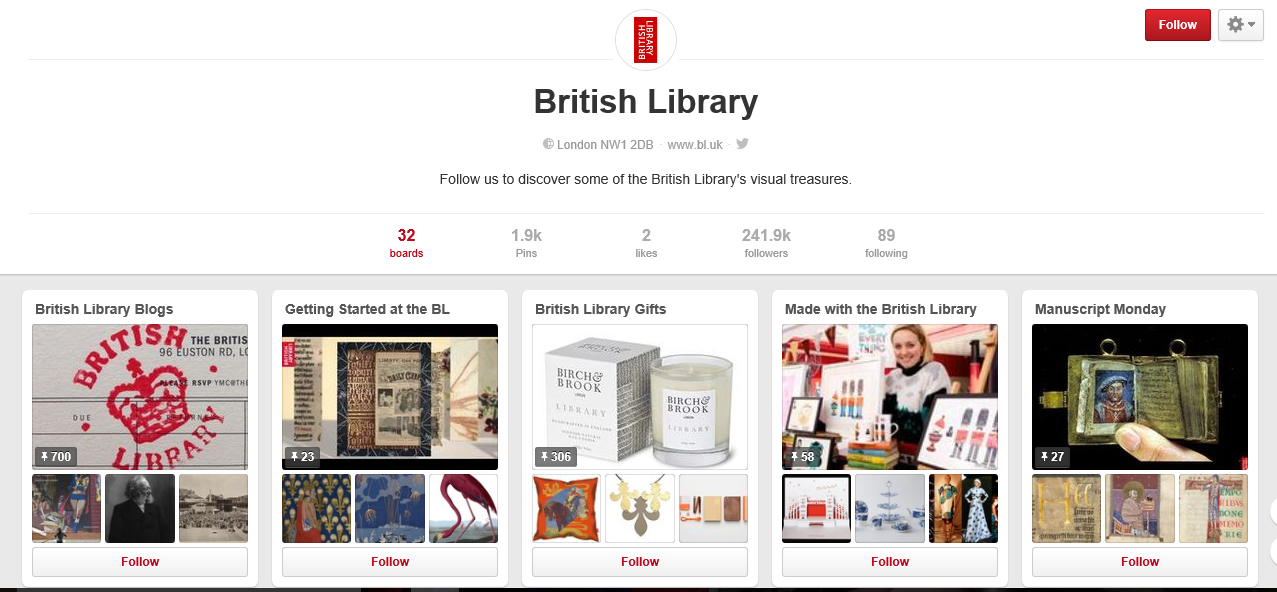
Pinterest on the other hand, that's something of a little more interest to me. You can use it to discover, 'pin' and share images from within Pinterest and around the web. I signed up to Pinterest years ago when I first discovered it, made a lovely board about librarians, and then promptly forgot about it completely. Like most social media things (mainly Facebook) I'm actually not that good at saving and sharing things of interest, so Pinterest probably isn't for me personally. On the other hand, it is a great way of sharing ideas in a 'mood board' style and I think it could be a great deal of fun in a teaching environment. It has also been used effectively
in other ways like these gorgeous boards from the British Library:

https://www.pinterest.com/britishlibrary/

My conclusion? I should probably give it more of a go, find a few friends on there and see what other people are sharing. I expect I'll find it more useful if I actually engage with the sharing functions rather than just using it quite literally as my own personal pinboard...

Thursday, 10 December 2015

StudyBlue - the eighth app of Christmas

I don't know what to make of StudyBlue. My initial impressions are that most apps feel a lot more subtle about trying to sell you the upgraded version. StudyBlue is making me feel like I can't access anything useful without paying from the word go. This is because I am browsing around trying to figure out how this thing works.
I give up and start making some cards as I guess I was expected to do first. It wants me to suggest a term, so I pick 'database', and then StudyBlue shows me how other people have defined database on their cards. Suddenly this is fascinating! Quite a lot of answers are fairly accurate, but some aren't, which is a bit worrying.
Next I try 'academic journal' - again levels of granularity in the responses are quite varied.
So I decide to be brave and try 'librarian', who is apparently a 'person who can help you find books or another source of information'...well, that's not so bad I suppose!
Ok, my library obsession aside, this is starting to make some more sense to me. I can see some people have used these cards to note how to reference different types of information which seems like a sensible idea.
I wonder if this could be used for some library matching card games as well.
However, for my personal learning style I don't like it at all, this is not the way I study! But this in itself is useful to contemplate, as this obviously does work well for many people, so at the very least knowing the app exists to be able to signpost people to it is pretty useful. Here are my cards so far...


Wednesday, 9 December 2015

RefMe - the seventh app of Christmas

 RefMEToday's app is really easy to write about, as it's one I already know and love. RefME is simply fantastic for collecting references. It's so very easy - you can use a web clipper in your browser, you can search by title, author, or ISBN from within the service quickly and easily, or you can scan the barcode on the book! For undergraduates, this is so much easier than exporting references in RIS format from whichever database they are in (and they're not usually in a database, they're usually on Amazon...or Wikipedia...) It's even easier than having to change your settings in Google Scholar to the correct reference management software.

In short, I love it, and I use it myself.

The only issue with RefME is that is doesn't currently have a cite-while-you-write component, although you can generate a perfect reference list and the layout of your citations is shown for you as well. To my mind this makes this more of an undergraduate resource, where you might not be handling too many references per assignment. On the other hand, you can export out to Mendeley, Endnote etc. so you could then use these services for cite-while-you-write if you so wished.

One final really cool thing about RefME is that they accept individual institution referencing styles and include them in their service. So if your institution has an agreement with RefME, you may very well find the correct style is already pre-loaded and ready for you to use.

Tuesday, 8 December 2015

IF, DO and MindMeister - the fifth and sixth apps of Christmas

Friday, 4 December 2015

Trello and Pocket - the third and fourth apps of Christmas

Yes, you caught me, I did fail to post yesterday, so it's time for a double whammy today.

Yesterday's app was Trello, which has been introduced to me before as we used it for our Discovery Service implementation project here at UEA. I really quite liked it! I think it's probably an excellent way for teams to work together, divide up tasks and measure progress. As a personal tool it's probably very useful as well, although perhaps could also lead to a lot of procrastination trying to organise your work rather than actually getting on and doing it (as shown by the below where I've organised today's to do list into a Trello board...this was entirely unnecessary, but fun!) Trello certainly isn't going to replace Wunderlist for me, which I use to manage my life pretty much, but then I've always been very fond of lists.


Pocket is something brand new to me and initially sounds fantastic. I am the kind of person who emails links to myself to look at later, and then never get around to it. I'm also very good at downloading PDFs, convinced that this time I WILL find time to read them, and yep, you've guessed it, years later they're still sitting there, unread and lonely.
So I download Pocket onto my phone, and quickly and easily I Pocket a tweet. Then it gets a bit harder - I have to remember that the share function is in the menu settings rather than via the site/s itself. This take a while to figure out. I give up on my phone and install the extension into my browser and try and bookmark a journal article. This is fine, but because of the need to authenticate to access full text I'm not seeing that on Pocket. I'm starting to think this is a bit more trouble that it's worth.
But there are features of Pocket I really like the sound of - offline reading for some items, instant access across all devices, sharing functions, read out loud - they all sound fantastic. I'm just not sure this is really for me (see above, I'm a list person, I'm happy with a list!)
The premise of Pocket I rather like: instead of having email links here and there, PDFs saved in multiple locations, oodles of bookmarks, I can instead keep all these exciting things in one place...but that really doesn't resolve the whole 'then read them' issue. In fact, Pocket is highly likely to increase my sense of satisfaction that I've collected together a good and valuable reading list, thereby decreasing my actual desire to get on with the reading itself. I wonder if many students would experience the same?
The other thing about Pocket is that for my students, gathering isn't enough, they also want the software to spit out references as well. And do I quite frankly. So something like RefME with it's webclipper is actually my preferred way of 'pocketing' my reading. That way I'm saving my reading all in one list as I browse around the web AND I'm creating my reference list at the same time. Of course RefMe doesn't contain the actual documents, so it doesn't have and sharing features but for academic learning it seems more appropriate to me.
Pocket's use of the 'share' function to Pocket from apps is new to me and clever. But ultimately the browser extension for web clipping is something a whole host of other apps can do, and really this is just another one. Might be perfect for some people I guess. But I think I'm happy with the way I do things. After all, I don't need MORE articles stored up to read at some point...honest...

Wednesday, 2 December 2015

OfficeLens - the second app of Christmas

 Hummm, but do I love OfficeLens? Today's app is essentially a capture service that lets you use your camera to send pictures straight to OneNote, OneDrive or your phone gallery.
I've never actually been big on using my phone to take pictures of slides/whiteboards etc. although I've given many presentations where students were continually taking pictures of the screen. I even showed someone how to look up a book on the library catalogue the other day, and his way of making a note of the shelfmark was to photograph it. This is all very alien to me, except of course last week we made a list of things to do on the whiteboard during a meeting and I took a picture of it afterwards! So whether I like it or not this certainly is a useful service.
Do I love it though? Well, I certainly like the fact that you can send the picture instantly to your OneNote. This definitely increases the chances of someone actually remembering they had taken a picture and of looking at it again in the future. I do often wonder about all those students taking photo after photo of my slides - are they really going to look at them again? Will they remember how or why they were useful?
But ultimately the camera on my phone is probably good enough for my needs...and also the amount of information Microsoft want from you when you install this app is massive. Why exactly does OfficeLens need to know my caller ID and phone information? If this is for texting photos, then I think I'd prefer to use the camera on my phone thank you. 
Will I use OfficeLens for teaching....probably not. Getting students to use Microsoft 365 is hard enough but when they've all got a camera and are used to snapping away, why would they want another app? 

Tuesday, 1 December 2015

OneNote - the first app of Christmas

Embedded image permalink
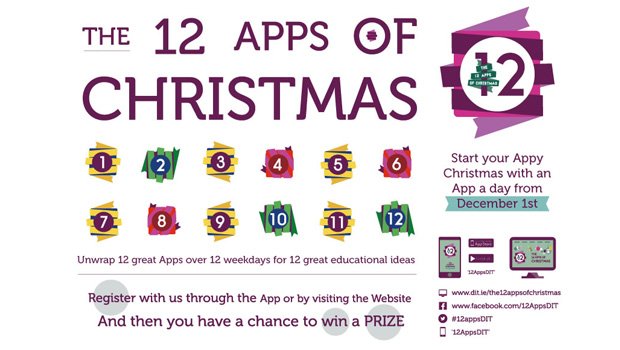
I have posted the picture above so you can see what this blog is going to be all about for the next 12 days. You can join in too!

I'll be blogging (briefly) on each app as a way of a) remembering them all and b) reflecting on how they could be used in my teaching practice.

So, OneNote.
I've actually been using OneNote since 2008; you know, back when things were called 'programs' rather than 'apps'. At that point I didn't use it for any of the collaborative features or any of that jazz. I used it for one reason only - you can write anywhere on the page! You just click and start writing, and if you get bored you click the cursor somewhere else and write something else (this was pretty exciting in 2008, well, to me, erm...I can't make this any better. I liked it, alright!) The other cool thing about it was the autosave. No more forgetting to save your work and losing it when the computer froze. It just saved automatically.

The flexibility of being able to jump around the page so easily I found really useful primarily for writing fiction and poetry. Somehow, this helped free up my creativity and I enjoyed writing on the computer a lot more than I had previously. As I worked on my novel (a yet unpublished document, although sure to be a posthumous masterpiece) I found the ability to create pages really helpful, and I made a page for each chapter. Eventually I had a tab for each new story I wanted to write, and now I have a whole notebook for poetry, one for fiction, one for life stuff (notes, pictures, to do lists etc) and one for non-fiction writing.

The best thing about it now is the cloud element, and the fact you can download it for free. It's so useful to be able to jump on any device and find all my crazy writing just there. Even if the PC I'm on doesn't have it installed I can login online. Perfect.

I can completely see how many learners, frustrated with using traditional word processors but needing to capture their thoughts electronically, would find OneNote much more freeing and useful. And the fact you can share notebooks really opens up collaborative possibilities both for students working in groups and for me thinking about ways to get students to work together and engage more flexibly with a task. As we have it here at UEA as part of Office 365 I shall have to give this some serious thought!

And just for fun, here is a poem I wrote very many years ago now, courtesy of OneNote:

Tide clock

Time passes in the wave of grass, the sweep of rain across the bay, the meticulous chewing of the cows in the field. I watch the shifting clouds, feeling the wind whipping over my skin and blowing holes in my lungs.
The flecks of air flick sand and salt into my face, into my eyes.  I hear the endless waves. For them time is a monotony of breaths drawn in and out, never ceasing, ever.
I breathe in sympathy with the long ravaged sea, and feel myself melt into the earthy wildness, an insignificant second rhythm tapping lightly along with the rest, unheard by most, and short-lived.

Lying here  in outward harmony, I count time, crash by crash.

12 apps for 12 days during the 12 days of library Christmas....ahhh!

Well hello everyone!

After completing CPD23 and bravely announcing I would carry on blogging, I then completely failed to ever post again...until now that is.

Why am I reviving this blog? Well, there are many reasons actually:

  1. I feel out of touch with the librarian community and that I'm working in a vacuum. This is not a good feeling. Blogging forces me to take time out for reflection, and for learning new things. Also, some nice library folk might turn out to be a bit interested in my blog, maybe.
  2. I am going to do the 12 apps of Christmas this year! Having not really thought about my digital presence for a while (hence the vacuum) I realise I am now completely out of touch and have been missing things. Maybe the 12 apps of Christmas will help me rectify that.
  3. Finally, I am slightly lying when I say I haven't blogged at all in recent times - in fact I've just set up a new blog for UEA Library called 'The 12 days of library Christmas', in which we are going to showcase one of our resources each day for the next 12 days. Fun, right? Well, if I can manage that, then I can jolly well write my own blog as well. Here's hoping anyway.
So, the first app of Christmas is Onenote, and it just so happens that I've used that extensively for many years now. I shall post about that later today I think. 
For now, for anyone contemplating their own connected-ness with the other members of their profession, here are my CPD promises for 2016:
  • Tweet more - and reply to people's tweets. Lurking is all very well and good but it's much better to actually be involved.
  • Blog - my thoughts, what I'm up to, my research, essentially keeping a record of things I achieve so I remember it all.
  • Go to conferences and talk to real people. It's extremely refreshing to get out of my own silo and go and bother some other folks who turn out to have exactly the same problems, and maybe some creative solutions I haven't thought of before.
  • Read - probably not much as there simply isn't time, but perhaps, rather than just bookmarking articles of interest and never looking at them again, I might take two minutes to skim the contents instead.
Wish me luck!

Wednesday, 21 November 2012

Thing 23: Mind the gap

My goodness the CILIP Professional Knowledge and Skills Base is a scary document isn't it!

Working through the CPD23 programme, I've felt myself building a confidence in my skills and my ability to learn new tools or absorb new information to extend my abilities, and to recognise the appropriateness of doing this - at which points it proves useful for my work and when it's not an efficient use of my time. I have to confess, looking at the CILIP PKSB I can feel that confidence sapping away slightly, as I realise I'm clearly not a real librarian, as I'm lacking in so many skills. To name but a few:
  • Cat & Class (yes, I know, but I've never had to do these things! I'm good at buying stuff though...)
  • Informetrics
  • Information Architecture
  • Database Design
  • Data Analytics
  • Information Assurance and Audit
  • Archiving and Web Continuity
  • Influencing Key Stakeholders
  • Business Planning and Asset Management
  • Strategic Marketing
  • Systems Design
  • Language Skills
Photo by Brett Holman on Airminded.org
Even 'Frameworks and Curricula for Education and Training' threw me a little - I've never studied Education  and while I've been very interested it in, my teaching is inspired by watching others, reading books by other librarians on the subject and watching presentations about teaching methods at conferences like LILAC. Actual 'Teacher Training' of any description has never come my way (although in my previous job I was very keen to undertake the Postgraduate Certificate in Teaching & Learning in Higher Education). For my role I do think this is an undeveloped area in my skill set, and that by addressing it I may also open up more possibility for working more closely with the academic community in a teaching capacity.

Perhaps the gaps in my knowledge are far more gaping than I realised?! But what kind of Personal Development Plan could ever rectify this desperate state of affairs??? *deep breath*

Obviously I'm letting insanity take over a little bit here, because I'm employed in one role in the library, so I have a specific subset of skills that suit my role, and I can't do everything! Of the aspects I think are relevant to my role I think I have developed a good level of competency, and there are also clearly areas where I would like to develop my skills as well - such as support for researchers, bibliometrics & library research. One of the best aspects of completing the CDP23 programme has been the elements of reflection on my own practice - yes playing with lots of online tools and (finally!) setting up my own blog has been fun, but considering how to use these tools in an effective manner, and what I would want to achieve by utilising them is just as important.

Perhaps another aspect of this programme is the degree to which online tools are also deeply rooted in media and marketing. While many aspects of web 2.0 tools are social, and to a degree personal (e.g. blogs, Twitter) they are still broadcasting messages about the library - its tone, its relevance, its priorities - and while reaching students in a variety of ways is great, you also need to reach them using appropriate language and regarding issues they are actually interested in! I suspect marketing and outreach are two areas I'd be particularly keen to include in my Personal Development Plan going forwards, not least to build on everything I've learned through CPD23 about web tools and about myself.

So, my plan now is to think about ways of plugging the gaps, keep on blogging - sharing and reflecting on my experiences in the library (and possibly not in the library!) - and see where it takes me. Once more unto the breach, dear friends....

Sunday, 21 October 2012

Integrating 'things'...

It's funny really...one of the reasons I like doing this blog is that I can reflect a lot on the tools I've already used in my work, but I'll be honest it's rare I have the time or inclination to actually try something new! I expect this is a common theme amongst librarians, the chime of "if only I had time I could do this". So what can I actually take from this blog and convert from an "If only..." into "I've done..."?

This blog has caused me to revisit my Google Drive and the usefulness of Google docs. In a recent teaching session, rather than handing out 80 handouts I decided to try and save trees by uploading the handout to Google docs and giving the link to students instead. I think this worked - at least all of the students were able to easily access the handout and bring it up on their screens. It's something I think I would choose to do again and it also means the handout is then accessible on the web at any time should the students want to come back to it.

I've kept my LinkedIn! Having been pretty disparaging about the interface and begrudgingly creating an account, I've both finished creating my profile and updated it. I can't ignore the fact it's a well used professional resource, and that it helps raise my profile as an information professional and create links with others who I could potentially work or collaborate with in the future. I considered deleting my profile, but realised that fighting against the tide in this manner when I'm perfectly capable of maintaining my profile is probably a futile gesture. Who knows how useful it could be in the future?

My RSS reader on the other hand, while it's full of interesting stuff, hardly ever gets looked at! One of the reasons is that I prefer to browse for my information - so rather than getting information through news feeds or blogs I like going to The Guardian and having a look around. But as I've mentioned before, my primary source of information 'pushed' to me on the web comes from Twitter. I remain addicted - It's a fantastic resource. I do sometimes show my RSS reader to students though, to demonstrate ways in which they can gather information that is sent to them in an efficient way - I'll be honest most students don't look all that thrilled by it. Perhaps they see that no matter whether their news feeds are gathered in one place or not, they'll still make them the lowest priority in their researcher lives.

The last blog post I made was regarding screencasts, although the 'thing' also included considering podcasting, which I basically ignored However, I think creating podcasts could be a very effective way of creating learning resources quickly and easily that can then be disseminated through the web and student blackboard sites. This is something I would like to keep as an idea ticking over, and give it a go as soon as I have time. Hey, we all need an 'if only..." to aspire towards!

Screencasting & learning to love the sound of your own voice

Ah screencasting....if you're anything like me you find recording screencasts a fairly unpleasant experience, where you have to talk out loud to a computer, feeling faintly ridiculous  and the only way to check your work is to then listen to the sounds of your own voice repeating over and over again. Not really my idea of fun!

But they're a great tool. I've created screencasts to demonstrate how to navigate databases and renew loans, and even in place of being able to attend a teaching session. I've used the free online tool Screencast-o-matic, which once uploaded to a Youtube channel you can then add annotations and a transcript, creating a very accessible resource. Here's an example of mine:


While I think screencasts of this kind are really useful resources I do think they have to be carefully planned, and videos of any significant length are never going to be useful to students - anything over three minutes can become very tedious very quickly (as perhaps the above video demonstrates? I'd be interested to know how many of the video viewers actually watched the whole thing). Interestingly, the video I created to demonstrate to students how to use their Microsoft Live Skydrive has received over 3000 hits, 10 times as many as my library screencasts - which probably goes to show the way in which students expect to learn: they expect IT information to come from the internet and is useful in video format. But library information - can students learn it effectively from videos? Will they understand the process and be able to transfer that learning to another searching need or just follow step-by-step? Will they even search for help in the format of videos or will they get sidetracked one they're on Youtube watching much more entertaining videos?

At the moment, my new role as a Faculty Librarian takes me away from the subject librarian role somewhat in that I don't currently have time to create subject-specific resources of the kind I would like to provide for students, including screencasts of using particular databases for specific subjects. While I don't know what kind of impact these videos actually have, I do believe that providing learning tools like these in as many formats as possible is great for meeting the different needs of students, and they're always a fantastic thing to have up your sleeve for those moments where you just can't bear to explain how to do a search one more time!


Friday, 21 September 2012

A few of my favourite things...

Ooooo Thing 17 is about SlideShare and Prezi. Well, if anyone hasn't even tried creating a Prezi, then you should. It's so much fun! You can see my Prezis here: http://prezi.com/user/vnmvaifawcrj/

Interestingly, I've created a few of these because I love the way they create a visual 'path' than can link you from idea to idea, and are far more interesting then PowerPoint presentations. However, I very rarely use them in practice. Mostly they've been embedded in subject pages I've created online, and I've included the links to them in handouts and guides. I am wary of using them to present because of the way Prezi 'swings' between slides, which can definitely make you feel a little bit ill if you overdo it! It's also not always easy to move forward and back through your path, although I do like the ability to go 'home' and see the whole presentation and then select which bit you want to zoom in on (I'd love it if, once you've done this and then click forward it automatically takes you to that part of the path and moves you on from there, but it doesn't do this unfortunately). Also, using Prezi means you're relying on a functioning internet connection where you are delivering your presentation, which can be a gamble, but perhaps I should be braver and give it a proper go. I do so love making Prezis after all...

However, I am not a PowerPoint hater. I think PowerPoint is an extremely useful tool. It's exceptionally easy to knock-up a few ppt slides when you need to, it's a platform for delivering information that is easy to understand and follow, and it is certainly possible to use ppt well. As for SlideShare, I love it. I find it an invaluable tool for keeping up-to-date with professional practice - especially for things like accessing conference presentations which you were unable to attend. It's also a great place for getting inspiration for slides, although as I mentioned in Thing 15 I think watching how someone uses slides in their presentation delivery is probably the most useful way of learning best practice. Here are some of the presentations I've accessed on SlideShare recently:


I haven't started sharing my own material on SlideShare, even though I have an account.Sitting here now I wonder if this is because I feel my slides would be a voice amongst many, adding unnecessarily to the internet noise. Do I not have faith in the material I've created? Does part of me not believe my work is worthy of sharing (and if this is the case why was I happy to present it in the first place?) Also, my slides tend to be very image based, with little words, so do I just assume they wouldn't make sense or be useful to anyone? In fact, I hope that as my experience and confidence grows and I write more material to contribute to the profession, I'll start to feel sharing my work in this way is a natural part of the professional process. For now though, I've just uploaded the presentation on my MSc dissertation I gave to the AULIC group on Thursday 26th July 2012. Enjoy!

Speaking up/being heard

I wasn't really looking forward to this post, mainly because I feel I've done very little in terms of library advocacy, and this makes me feel guilt and inadequacy. But just how much should I feel obliged to advocate? Shouldn't it be something that comes naturally from a passion for libraries? And if I feel I should be doing more but I'm not, then what exactly are my passions? What would get me going?

Johanna's excellent post on advocacy and activism provoked a lot of thought in me. I am also an academic librarian; I believe I advocate for libraries in all sectors, especially public libraries. I am not an activist.

I don't know if anyone else out there feels like this, but in actual fact I think that just by being a librarian I'm constantly called to advocate for libraries. Much of my professional role revolves around considering how the library adds value, and then talking, writing and emphasising it constantly. Talking about my job with my friends or introducing myself to strangers involves speaking up and speaking out - convincing people that what I do is valuable because libraries are indispensable houses of information relied on by everyone, even if they don't know it. And the fight public libraries are now having to undergo just to continue to exist under this coalition government can make me feel slightly desolate, and also, occasionally tweet in anger! I feel that my role demands I work as hard as I can to convince my academic colleagues, lapsed public library users, Google-devoted students and anyone else I can influence that the library is a place for all and access to information a right and not a privilege of the rich.

And that's as much as I can do. I am also a very busy professional librarian, as we all are, with limited time and energy, and a balance to strike between my work life, and my home life, and while I'll happily chatter away about the value of libraries to whoever will listen at some point I have to NOT think about libraries, just for a bit, and be myself.

Sunday, 9 September 2012

Mendeley and Zotero - let the games begin

A few days ago I sat down to start planning out my teaching sessions and started considering how I would recommend to our students they manage their information - not just by noting down the references of useful sources they find, but practical ways of saving and storing documents in a way that will enable the to find them again. I was reminded of this blog post by Patrick Dunleavy I read last week: 'I was an EndNote refusenik, but now I’m a Mendeley convert' and I decided it was about time I started exploring some online tools.

So, a few weeks ago when I was starting to think atbou Thing 15 I downloaded Zotero Standalone. and then forgot about it. I am not a firefox user, having been converted to Chrome a while back and discovering that using any other browser now seems just very clunky. Nevertheless, I thought I'd give Zotero a go, and see how far I got. Not very far is the answer. Unfortunately while on the university campus I am restricted as to the things I can download, and apparently add-ons into my browser aren't allowed, so I failed in my attempt to download the Zotero Connector. I began to feel the stirrings of frustration. Next I tried to import a document, which didn't work, and directed me to a singularly unhelpful help page. I started to play around with trying to manage pdfs and bibliographies and found myself very confused. At this point I gave up. Sorry Zotero.

I decided to turn to Mendeley and play with a different tool. Downloading Mendeley desktop was straightforward (as was downloading Zotero Standalone, to be fair). But the Mendeley interface seemed more intuitive, and the help far more abundant. It took me no time at all to find the 'watch folders' function, and suddenly all of the pdfs I'd named in a cryptic an inconsistent manner over the last 3 years, and then carefully stored in a selection of random folders, magically appeared in Mendeley - the majority of which with the correct metadata and all with the pdf attached. I was impressed. I then signed-in to Web Mendeley and the sync function meant the records for all my documents were there instantaneously  Impressed again.

It was about now I wanted to download the Web importer for my browser - but I knew I'd run into the same problems downloading it as I had before, so I went home to try this. Having felt a little guilty about being unfair to Zotero, I also downloaded the Zotero Connector to compare. I think the Zotero Connector works better - it'll pick up all of the records on a webpage and import them into Zotero Standalone very quickly. Mendeley Web Importer was more tricky, as you have to allow pop-ups for every separate site, and make sure you're logged in to Web Mendeley, You then get a list of all the records on a page, and select each one for downloading individually (although this was useful - a quick way of sifting through my results and only saving the records for the results I thought were most useful). As far as I can see I'd still need to download and save my pdfs though if I wanted them stored in Mendeley Desktop as well, so perhaps saving the pdf directly to my watched folder would be a better way of importing the information...and side-step pop-blocker issues with the Mendleey Web Importer.

By this time, as you can probably tell, I was sold on Mendeley. Installed at work and at home, with my documents quickly synced across both, and the watched folder option - yep, it's all working for me. The final thing to do was install the MS Word add-on to use Mendeley to create my citations and references in an actual document. This installs straight into the References ribbon in Word, and is straightforward to use. In fact, under the Add-ins tab, the Zotero reference management tools had appeared as well so I had a play with these. I'm not sure there's much to choose between them really. just as, if you have access to Endnote or Refworks, you'd be using those as well in much the same way. And I've never really used this sort of tool in my own work, as I find tinkering with the style to make sure it meets my needs time-consuming and frustrating. So I gave up at this point - these are my own prejudices effecting my judgement.

I suspect, for anyone needing to use a bibliographic reference tool, using either Zotero or Mendeley would be extremely helpful, and possibly more user-friendly than Endnote. Mendeley gets my vote though, just for how incredibly easy (and satisfying) it is to use. And I haven't even started exploring the collaborative/file-sharing functionality that's made Mendeley so successful...

Monday, 20 August 2012

Thing 12...and a little bit of catching up to do!

Hummmm, it appears I'm a little behind on this blog now...let's see if I can't get through a few 'things' in this post and get back on track!

Thing 12 'Social Media'
I suppose I have troughs and waves with social media and social networking. Sometimes I have plenty I want to say and comment on, sometimes I'm content just to read other people's contributions and sometimes I feel so overwhelmed and exhausted by the sheer amount of information out there I don't even want to look. I know I've made connections using Twitter I would never have made through networking in person, and I have certainly read really useful articles, papers and blog posts through links people have posted on Twitter, that I would not have come across without it. But I still think that I could get more out by putting more in both in terms of sharing and in making more connections. And this very belated blog post is an example of when so much change in my life had kept me away from the social web sphere for a while, and now I can feel that I am less confident contributing online than I have been in the past, so it's definitely one of those things you have to keep up as a discipline, as any other CPD activity I imagine!

Thing 13 'Google Docs, Wikis and Dropbox'
ooooo I love Dropbox! I have used it extensively in the past for sharing files between computers, in shared folders for project work with colleagues and for sharing files between work and home.
Google Docs I have used to share resources I've created with students, in particular when I've needed to quickly and easily create help-sheets I've uploaded them to Google Docs and shared the link online. Quite often this hasn't been necessary because I've been teaching groups in collaboration with an academic on a particular module, so documents could be shared on their blackboard site. I created a FAQs sheet for Harvard referencing which I put the link to in my email signature, which turned out to be a very effective way of getting people to at least open the document!
I have never created a Wiki, or used one through work, and I'll own that I've never really considered how they could be useful in a professional capacity. Having said that, I haven't really worked collaboratively on a sizeable project yet, so this one may come in useful in the future...

Thing 14 'Zotero'
I'll come back to this in another post. I have just had a session on using Endnote, which I found very interesting as it seemed much more useful and applicable to me than RefWorks which I was using in my previous employment, so I've gone from a position of avoiding bibliographic management software to thinking perhaps it might be useful after all. Time to play!

Thing 15 'Attending, presenting at and organising seminars, conferences and other events'
One of the best things I've done so far in my professional career is attend LILAC (Librarian's Information Literacy Annual Conference) 2012. The conference was well organised, included a wide range of talks providing plenty of scope for focussing on particular interests or hearing about new things. The keynote speakers were engaging and relevant. There were plenty of opportunities for networking, including the conference dinner, and most importantly, the food was good!
So what did I get from attending?
  • Energy and inspiration
  • Lots of new ideas
  • Networking both in person and on twitter
  • Useful research papers to look up and read
  • A sense of common problems throughout the profession, as well as common goals and ways of working - really helps you feel less isolated!
I also gained experience of other people's presentation styles, which has helped me in developing my own presentation style, and also provided an insight into when PowerPoint slides work and when they don't. I have drawn on all these experience recently when presenting my Master's dissertation research at an AULIC conference in Bristol, which was a fantastic opportunity to present my own work to a small(ish) and friendly group of interested folk. I'd certainly encourage people to take part in conferences and take the opportunity to present if you can - it's such a good way of communicating with colleagues, gaining fresh insights and building confidence in your own work, ideas and projects. Plus if you can get your employer to support you (and I'm talking financially here) that's even better! For myself, I'm finding presenting to be more and more a key element of my professional work, not just a CPD exercise, so the more practice you get at it, the more comfortable you are presenting to large groups of people and talking confidently.

Right, well that's a few 'things' done at least. Better crack on with the next...

Thursday, 19 July 2012

In need of advice.

Thing 11 is about mentoring, which I think ties nicely into the themes of career progression and a lot of the professional development stuff I discussed in my last post.
So, following this theme...I am about to change my career-and life-in a pretty massive way!
Today is my penultimate day as Academic Liaison Librarian at the University of Worcester, and on Monday I'll be starting a new role as Faculty Librarian at the University of East Anglia. For anyone whose geography is as shaky as mine: yes, they are on separate sides of the country. I am thrilled to be joining the team at UEA, and looking forward to the (pretty steep!) learning curve and set of challenges ahead of me, but I'll admit to some trepidation about starting a new life in a new city - it's a lot to do all in one go!

So, I ask myself, if I had a mentor, how would this have shaped my career and choices so far, including the rather massive decision to uproot my life?

I'm not sure why I don't have a mentor. I'm familiar with the concept, and have met several professional colleagues over the years who I have admired greatly and listened carefully to their advice. Perhaps the fact that so far in my career I seem to have been moving around a lot is a factor in my deciding not to have a formal mentor? Or perhaps it's easier to keep my thoughts, fears, joys and apprehensions in my head rather than sharing them with someone who may have a different opinion? Or, worse of all, admit the possibility of establishing a relationship with someone who I could then potentially disappoint! 

Reading Meg's thoughtful and rather persuasive blog post I felt a sense of loss that I had not allowed the continuity of a more senior and experience voice to inform and reflect on my choices and decisions. It's not that I think I'd have done anything differently, but the idea of having someone to discuss my professional thoughts and choices with is actually very appealing when you stop and think about it. And I would love to think that one day in the future I'd be in a position to mentor someone else in the field.

So watch out Norwich, I'm on my way, and I may just be at a stage in my life to stop, think, reflect and ask for someone else's interest and input along the way.